Spectrum EQ
Live graphic equalizer for Elgato Stream Deck · Windows
Get it on Elgato Marketplace€2.99 · one-time
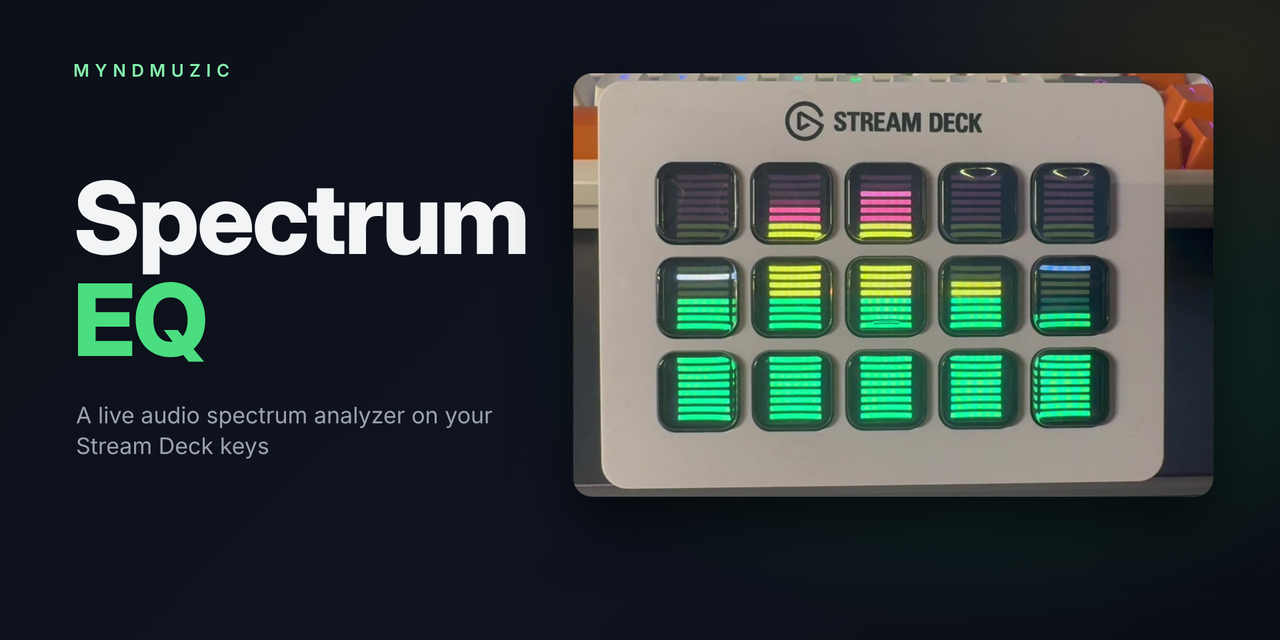
Spectrum EQ listens to whatever your PC is playing – Spotify, YouTube, games, any app – and draws LED-style bars across your Stream Deck keys.
- Each column of keys is a frequency band, from bass (left) to treble (right)
- Green / yellow / red segments with falling peak indicators
- Automatic gain: loud passages reach the red at any volume
- Works on every Stream Deck size – the number of bands follows the number of columns
- Audio is analysed only while the equalizer is on screen
Setup
- Install Spectrum EQ from Elgato Marketplace.
- Create a new page on your Stream Deck.
- Drag EQ Bar onto every key of that page, leaving one key free.
- On the free key add Navigation → Go to Page to leave the equalizer (top-right works best).
- Add a Go to Page key on another page to open the equalizer whenever you like.
Requirements
- Windows 10 or later, 64-bit
- Stream Deck software 6.9 or later
Privacy
Spectrum EQ only measures audio levels locally. Nothing is recorded, stored or sent anywhere, and the plugin makes no network connections.
Italiano
Spectrum EQ ascolta ciò che il PC sta riproducendo e disegna barre a LED sui tasti dello Stream Deck: ogni colonna è una banda di frequenza, dai bassi agli acuti, con guadagno automatico e indicatori di picco.
- Installa Spectrum EQ da Elgato Marketplace (2,99 €).
- Crea una nuova pagina sullo Stream Deck.
- Trascina Barra EQ su tutti i tasti, lasciandone uno libero.
- Sul tasto libero metti Navigazione → Vai a pagina per uscire.
Privacy: il plugin analizza solo il livello dell'audio in locale, non registra né invia nulla.